

 Refresh
Need App for Impact Related Events
¿Quieres ganar un trabajo como este?
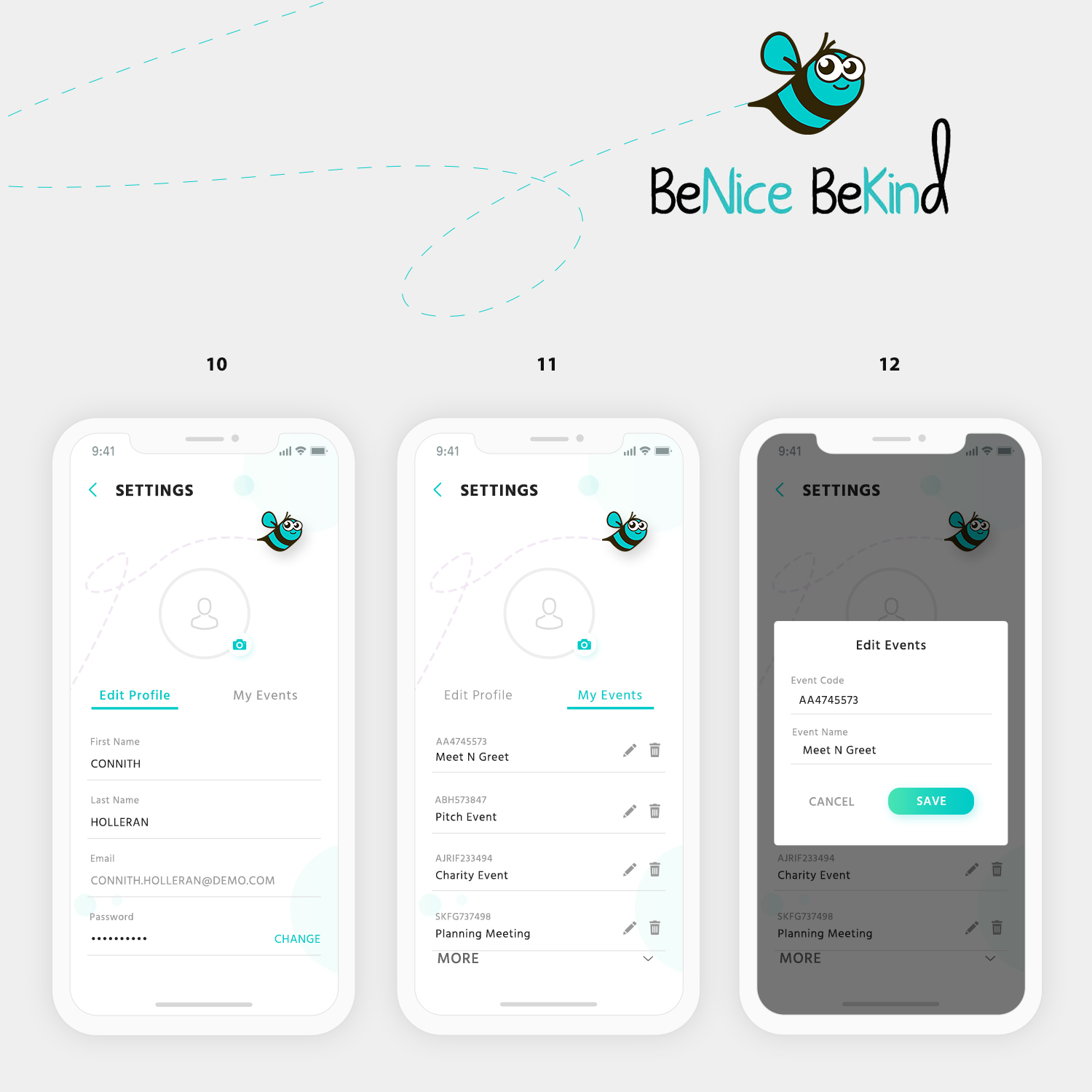
Este cliente recibió 116 diseños de app de 10 diseñadores. Eligieron este diseño de aplicación (App) de DesignCarry como el diseño ganador.
Únete gratis Encuentra trabajos de diseño
- Garantía
-
 US$300
-
 116 diseños
-
 10 diseñadores
Resumen de Diseño de aplicación (App)
My app is to help with internal events. When you enter the prompted event code the next screen shows you everyone currently at the event. It will give you the ability to Start a conversation with someone you met at that event, or signal it is your turn to send a message. The next screen is a message thread with that person. I am looking for a design that incorporates the colors and ‘feel good’ emotion of our logo. I have pieced together a pretty good interpretation of what I’m looking for in the attached mockup by slicing and dicing designs. I also attached our logo mascot.Screens (see attached mockups)
Note 1: I do not like the picture on the screen used in screen one because it makes it seem like a dating app. I attached an alternative photo that can be used or present different ideas.
Note 2: On the login/signup screen (screen 2) I need an additional first and last name for login, you can try to fit this on one login screen or present a two step signup screen where that is presented in the second screen.
READ MOCKUP GUIDELINES UNDER Must Haves
Objetivo del mercado(s)
People attending internal social impact events
Tipo de industria / entidad
Charity
Estilos de fuente para usar

Colores
Colores seleccionados por el cliente para ser utilizados en el diseño del logotipo:
Mira y siente
Cada control deslizante ilustra las características de la marca del cliente y el estilo que debe comunicar el diseño de tu logotipo.
Elegante
Atrevido
Juguetón
Serio
Tradicional
Moderno
Atractivo
Profesional
Femenino
Masculino
Vistoso
Conservador
Económico
De Alta Gama
Requisitos
Debes tener
- Follow the screen mockups attached to project
- PLEASE READ
- I have provided a relatively close design of what I’m looking for in the mockups. Some screens need to be followed more closely to my design mockup than other. I have listed a guide below how how closely you should follow my mockup design exactly. Overall I would like to see some ideas of incorporating a few accent colors so it doesn’t appear SO Blue. I also attached some app inspiration designs I found from around the web
- Screen Mockup Guideline Follow %
- Screen 1: 65% - mostly on target, would like to see ways to make it not SO Blue and possibly creative places to add some explainer text describing the app
- Screen 2: 50% - general design idea is here, but more open
- Screen 3: 35% - a lot more room for design influence
- Screen 4: 70% - mostly on target, a little room for design influence/color scheme ideas
- Screen 5-6: 25% - a lot of room for design change/ideas/influence
- Screen 7-8: 80% - already very close to what I need, maybe open to slight sizing and color scheme ideas
- Screen 9: 15% - the most open for influence, only the general functionality of the screen is communicated here
Agradable de tener
- Follow the screen mockups attached to project
- Please Read Mockup Guideline above. In large part I am looking for something to use some nice accent colors so it is not overwhelmingly blue and bring the whole design into a seamless style.
No debería tener
- Follow the screen mockups attached to project


