

 Refresh
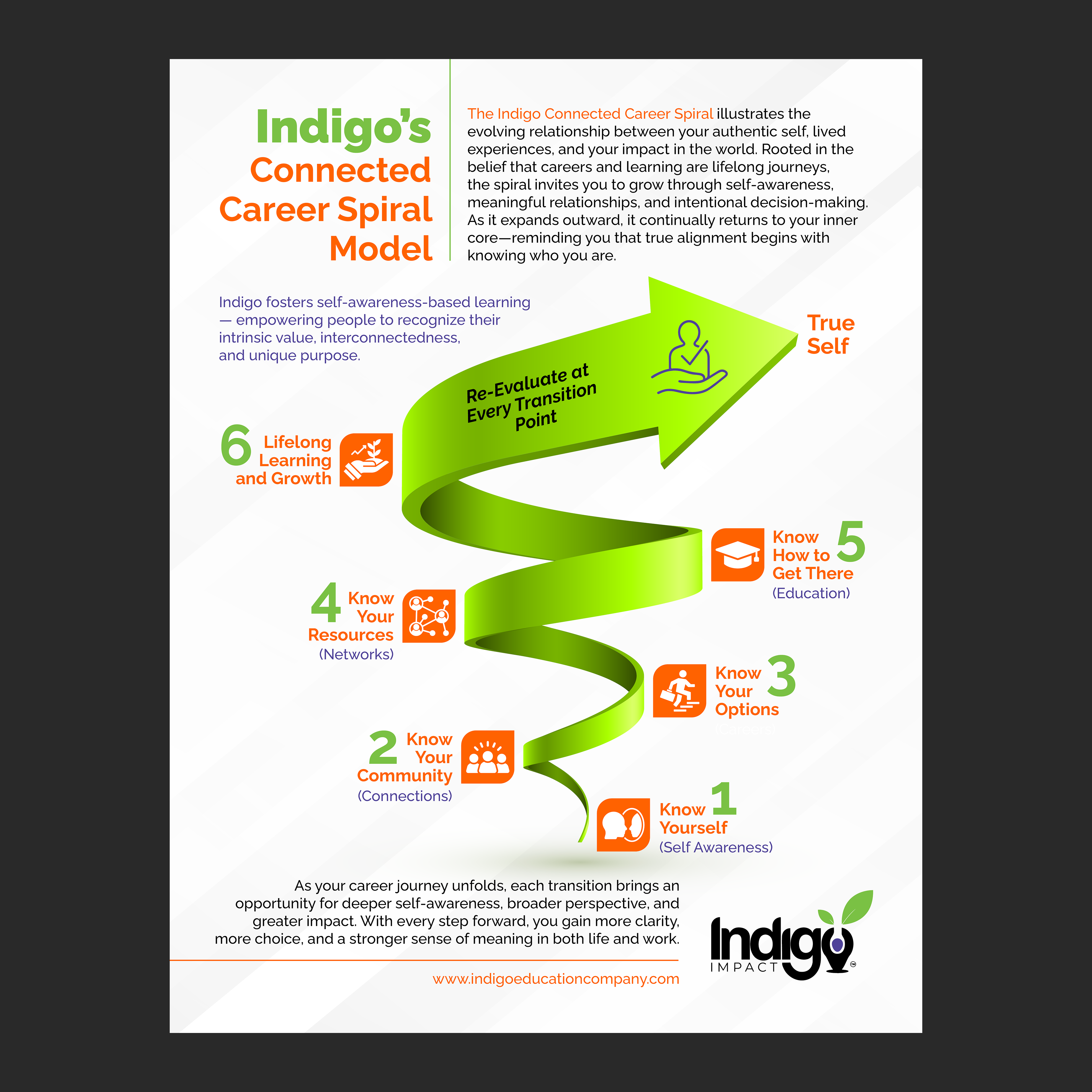
Connected Career Spiral Model One Pager
¿Quieres ganar un trabajo como este?
Este cliente recibió 92 diseños de flyer de 39 diseñadores. Eligieron este diseño de flyer de Murmu Designs como el diseño ganador.
Únete gratis Encuentra trabajos de diseño
- Garantía
-
 US$110
-
 92 diseños
-
 39 diseñadores
Resumen de Diseño de Flyer
I want to create a one pager that shows Indigo Connected Career Spiral Model. I have a basic version of the model mocked up with text. You don't have to follow the design elements exactly. I'm trying to convey that this is a process that is always expanding upward and outward around the true self. Very hard to do! And I'm not sure the line that loops around is helpful so feel free to leave that out!
I also attached our logo and color palette. You can use complimentary colors to make it pop, you don't have to stick to colors on the palette. For example maybe adding orange or pink or something like that. Please use the url IndigoImpact.org at the bottom somewhere (we are going to be condensing all our websites there in the new year). I would like the final flyer to be able to be converted to canva so we can edit the text for different audiences, etc. See below the guidelines on making that conversion work for us if you are using photoshop or Illustrator:
Preparing Files for Easy Canva Conversion (Photoshop & Illustrator)
General Guidelines
- Keep designs simple and clean—avoid overly complex effects.
- Use standard fonts or provide the font files so they can be uploaded into Canva (note we have the fonts in canva that are on our branding guide).
- Embed any images—don’t rely on linked assets.
If Designing in Photoshop (PSD)
What Works Well
- Text layers
- Shapes and basic effects
- Standard layer styles
What to Avoid
- Smart objects (flatten or rasterize them)
- Adjustment layers
- Complex masks
- Unusual blend modes
Export Tip
- Save as a clean, organized PSD with named layers.
If Designing in Illustrator (AI)
What Works Well
- Vector shapes and paths
- Basic fills and strokes
- Text (outline only if font issues)
What to Avoid
- Gradient meshes
- Complex appearance effects
- Textures, glows, or heavy effects
Export Tip
- Save the AI file with PDF compatibility ON.
Overall Goal
- Design with simple layers, basic effects, and clean vectors so Canva can convert the file into editable elements without flattening or breaking anything.

Actualizaciones
Need extra days to review
Objetivo del mercado(s)
Educators, workforce development, non profits, potential funders for our non-profit
Tipo de industria / entidad
Education
Estilos de fuente para usar
Gustan otros estilos de fuente:
- We have fonts and colors on our branding guide
Mira y siente
Cada control deslizante ilustra las características de la marca del cliente y el estilo que debe comunicar el diseño de tu logotipo.
Elegante
Atrevido
Juguetón
Serio
Tradicional
Moderno
Atractivo
Profesional
Femenino
Masculino
Vistoso
Conservador
Económico
De Alta Gama
Requisitos
Debes tener
- the ability to easily edit text, use the spiral part of the flyer on our website, and easily readable
